Wrapper Node
The Wrapper Node is the most fundamental building block in the WP Next Editor. It extends WPElementNode, which means it can contain other nodes — other Wrapper Nodes, Template Text Nodes, Data Fetching Nodes, and so on.
By default, a Wrapper Node renders as a <div> element. It provides a minimal surface area by design: its purpose is to provide layout structure, apply styles, and hold child nodes. Most page layouts are built primarily from nested Wrapper Nodes.
Settings Tab
Attributes
The Attributes section lets you add arbitrary HTML attributes to the element. For example, you could add data-track="signup" for analytics tracking.
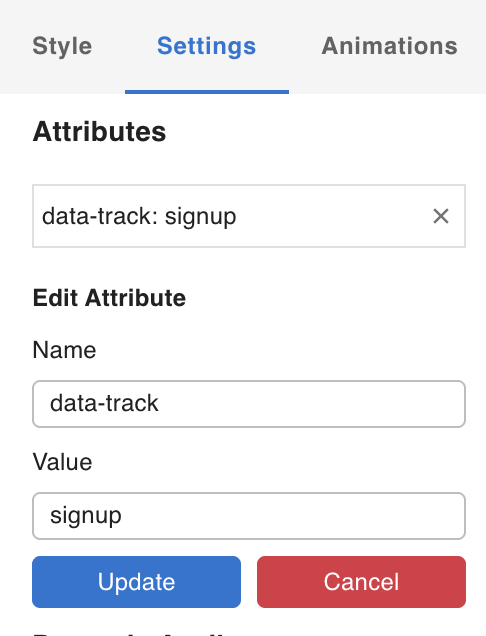
The resulting HTML looks like this:
<div class="ppniosm" data-track="signup"></div>
Where data-track="signup" is the attribute added via the Attributes panel. The class name (ppniosm) is generated by the CSS system from the node's applied styles.
Dynamic Attributes
In addition to static attributes, you can define Dynamic Attributes whose values are resolved at render time from fetched WP data or URL parameters. For example, you might conditionally set aria-hidden based on whether a user is logged in, or bind a data-id attribute to the current post's ID.
See Working with Dynamic Data for details on configuring Dynamic Attributes.