Introduction
WP-Next is a Next.js/TypeScript platform that implements a visual page editor and headless CMS using the WordPress database — entirely in TypeScript, with no PHP required. It reads and writes directly to the WordPress database via wp-node and ships two products:
- Visual Editor Docs — a drag-and-drop page editor for building public-facing pages.
- Admin Dashboard Docs — a headless CMS that replaces the traditional WordPress admin UI.
Quick demo
Run a ready-made WP‑Next demo for both the Admin Dashboard and Visual Editor using Docker:
docker run --rm --init -it --name wp-next-editor-example -p 3000:3000 \
  -v wp-next-editor_public:/app/editor/public \
  -v wp-next-editor_db:/var/lib/mysql \
  rnagat/wp-next-editor-example:latest
Log in with:
Username: wp
Password: wp
- Editor: http://localhost:3000/admin/1/editor
- Admin Dashboard: http://localhost:3000/admin
To stop the container:
docker stop wp-next-editor-example
Visual Editor
A drag-and-drop, Lexical-based page editor for building public-facing pages connected to your WordPress data. Pages are stored as structured JSON in the WordPress database — making them version-controllable and programmatically manipulable.
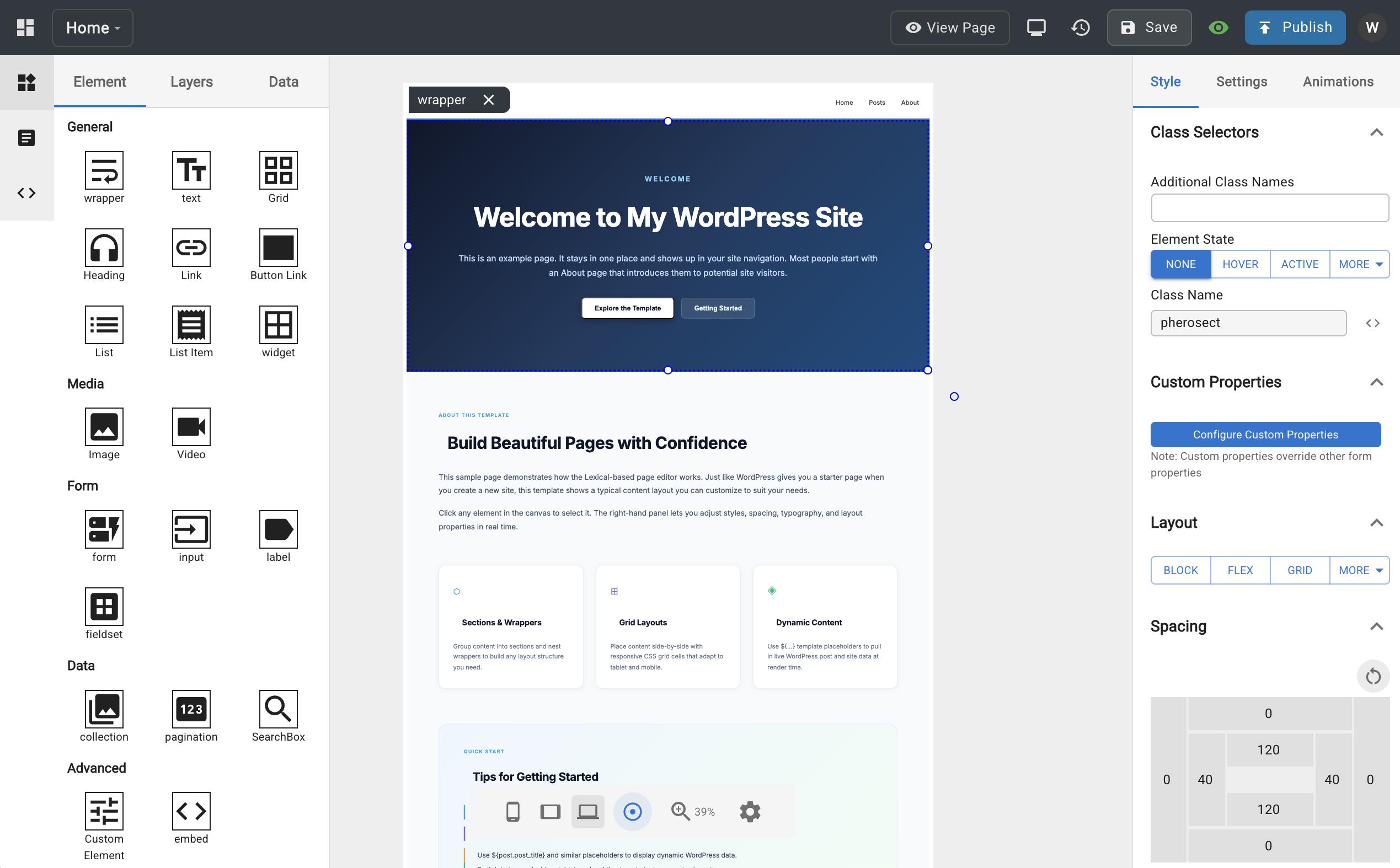
Key capabilities:
- Dynamic data binding — pull posts, users, taxonomies, and options from the WordPress database directly into any element
- Responsive design — per-device breakpoints and CSS states (hover, focus)
- Styling — custom CSS, animations, fonts, and CSS variables with no external stylesheet required
- Widget system — embed reusable sub-templates (headers, footers, components) inside any page
- AI-powered authoring — templates are JSON, so AI agents can read, write, and transform them directly via the
wp-next-editor-templateClaude Code skill
See the Visual Editor docs for installation and full feature reference.
Admin Dashboard
A headless CMS that replaces the traditional WordPress admin UI. Built with React, Next.js, and Material UI, it reads and writes directly to the WordPress database without a PHP layer.
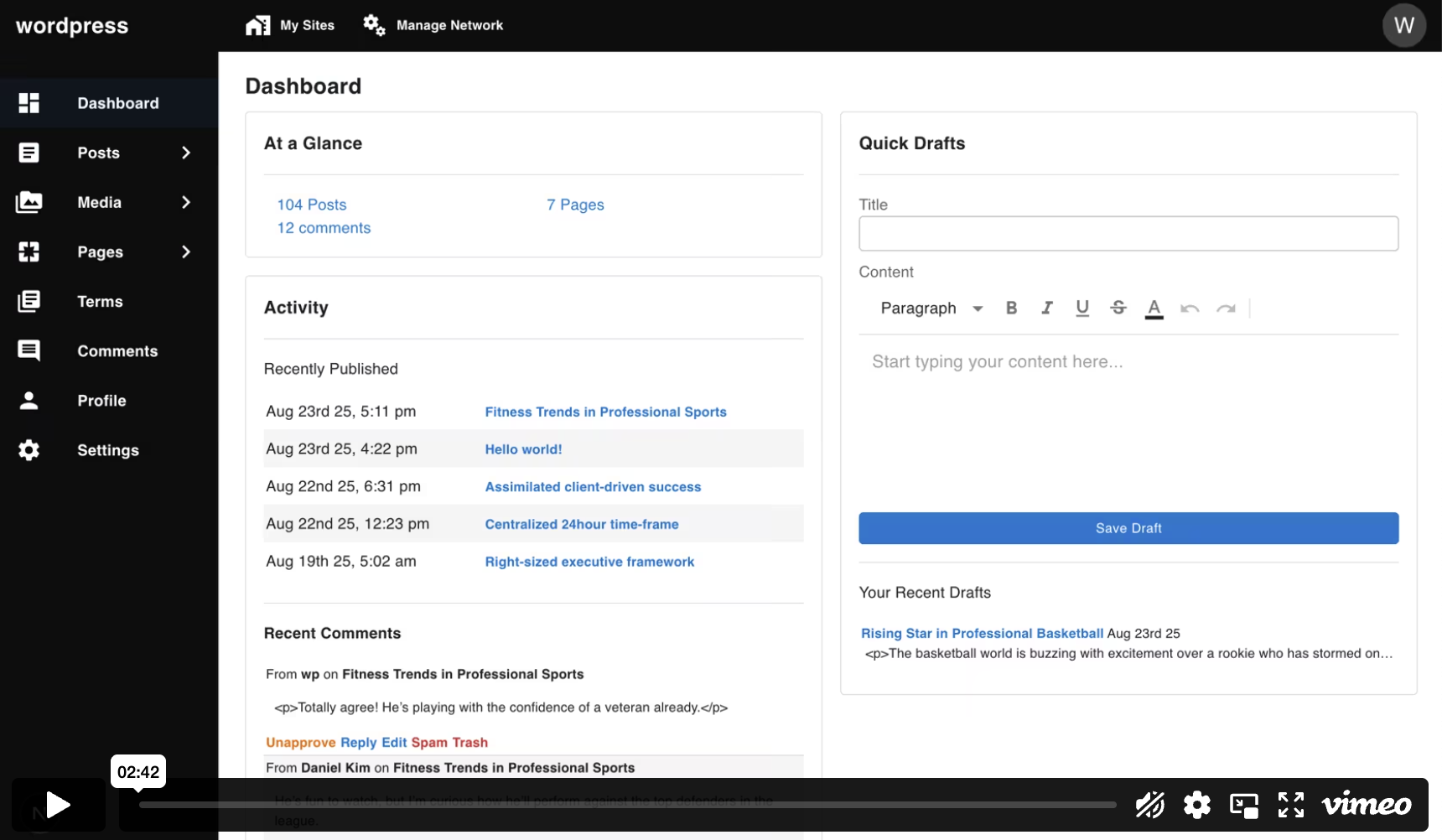
Covers the full range of WordPress content management:
- Posts, pages, media, comments, revisions
- Terms (categories, tags, and custom taxonomies)
- Users, roles, and profile management
- Settings and multisite support (sites, blogs)
See the Admin Dashboard docs for installation and full feature reference.
What's not supported
Since WP-Next is entirely written in TypeScript and React, some WordPress features are not supported, including:
- Themes and appearance settings (e.g., updating styling)
- WordPress Block Editor (Gutenberg)
- WordPress template rendering or theming APIs
- WordPress plugins