JSON Editor
The JSON Editor gives you direct read/write access to the Lexical JSON that backs the current template. It opens as a modal with a full Monaco editor (the same editor used in VS Code), complete with syntax highlighting, auto-formatting, and inline error markers.
Opening the JSON Editor
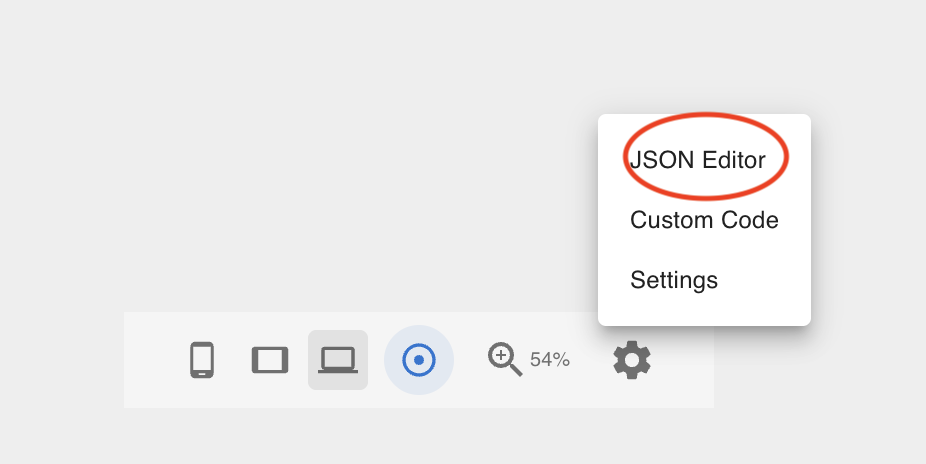
In the Footer Toolbar, click the Settings (gear) icon and select JSON Editor from the dropdown menu.
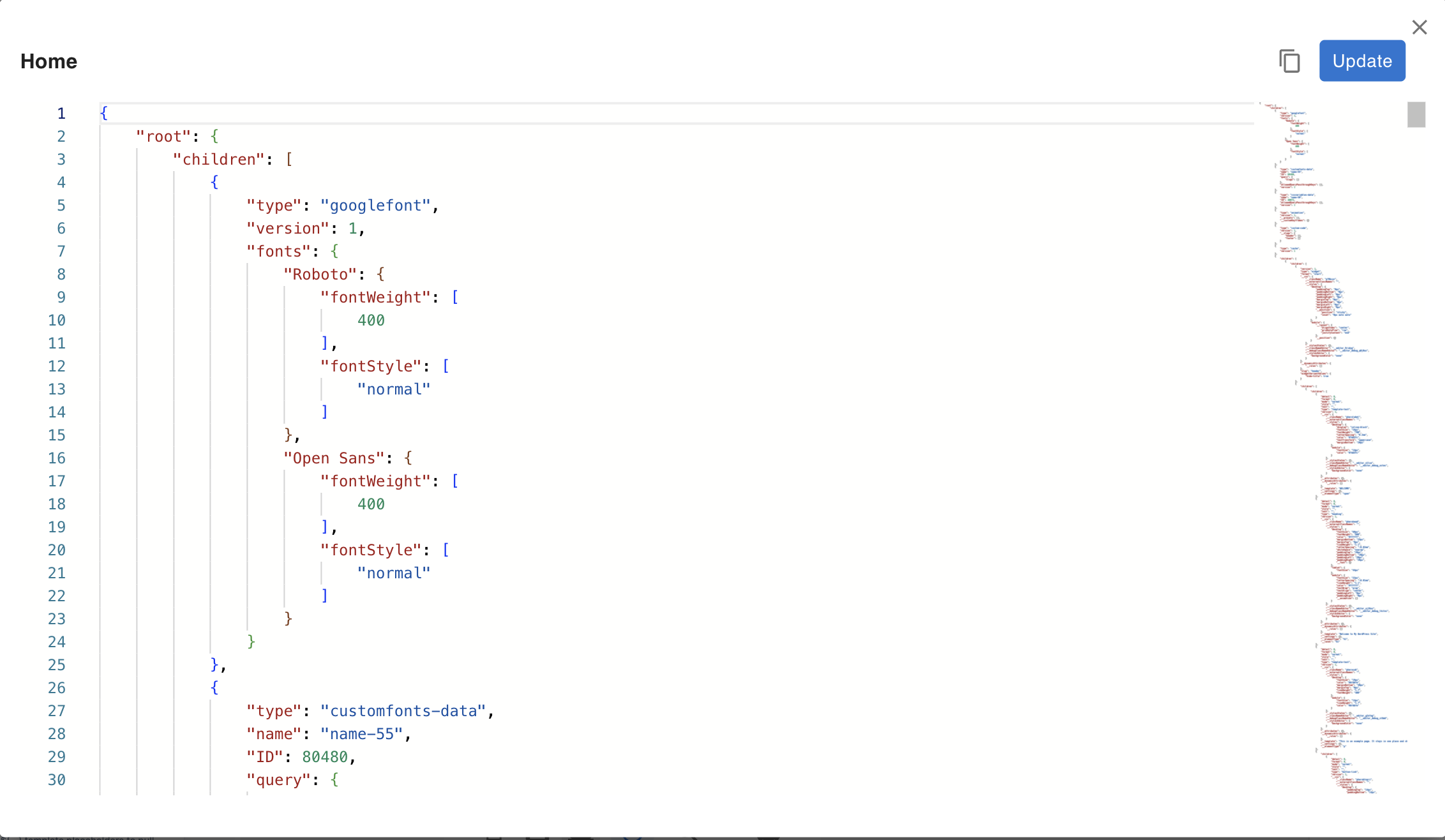
The modal opens with the current template's editor state serialized as formatted JSON.
What the JSON represents
The JSON is the output of Lexical's editor.getEditorState().toJSON() — a complete snapshot of the current in-memory canvas state, including every node, its children, and all style/attribute data. This is the same JSON stored in the WordPress database when the template is saved.
Editing and applying changes
Make your changes directly in the editor, then click Update. Before applying, the editor runs two validation checks:
- JSON syntax — the content must parse as valid JSON.
- Lexical structure — all node types in the JSON must be registered with the editor. Unknown node types will cause the update to fail.
If either check fails, an error message appears above the editor and the canvas is not changed. Fix the JSON and retry.
Copying the JSON
Click the copy icon in the top-right corner of the modal to copy the current JSON to the clipboard. This is useful for:
- Passing the JSON to an AI tool (e.g. the
wp-next-editor-templateClaude Code skill) to modify the template programmatically. - Diffing or version-controlling template content outside the editor.
- Seeding a new template from an existing one.
Error recovery
If a template's stored JSON is corrupt or contains unrecognized node types, the editor cannot render the canvas. In this case, the JSON Editor opens automatically with the broken content pre-loaded so you can inspect and fix it directly — without losing the raw data.
This is the recommended path for recovering from a failed template import or a manual database edit that introduced invalid JSON.